
Facial recognition entry systems fail more often at the door than in the demo. A mid-sized office in Austin installed a $12,000 system last fall and found that 8 a.m. sunlight through the glass doors caused false rejections for 15 minutes each morning. The fix wasn't a software update—it was a $40 window film. That's the reality of facial recognition entry: hardware specs matter, but environmental details decide whether people trust the system or prop the door open with a chair.Start with enrollment conditions. Capture faces under lighting that matches the actual entry point, not a clean studio setup. I've seen deployments where employees enrolled in a bright HR office, then failed daily at a dim parking garage door. Use the same camera angle and distance people will naturally approach. For facial recognition entry at multiple doors。
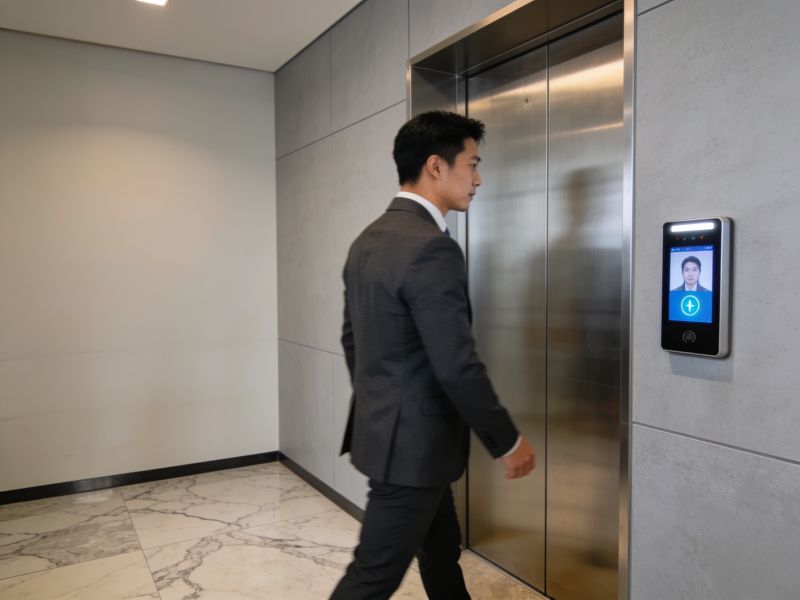
enroll each user at every access point—yes, it takes longer, but a single template rarely generalizes across varying light and background clutter. Test with 20% of your staff before going live;track false rejections by time of day and door location for one week.Camera placement is where most projects go wrong. Mount the camera at face height (about 1.5–1.7 meters) and angle it slightly downward—never upward, which catches nostrils and shadows. Avoid backlighting: if the door faces a window or bright hallway, add a hood or reposition. A facilities manager in Portland told me their facial recognition entry worked flawlessly until winter, when low sun angles created glare for two hours daily. They shifted the camera 30 centimeters to the side. Problem solved. Also。clean the lens weekly. Dust and fingerprints cause more false rejections than algorithm limitations in real-world facial recognition entry.Speed and consent deserve equal attention. Users expect entry in under a second;
if your system takes three seconds。they'll revert to badges. Choose hardware with a dedicated NPU or edge processing—cloud round-trips kill the experience. On consent: post clear signage, offer a badge alternative。and delete templates when employees leave. I've watched HR teams forget this last step, leaving former staff in the facial recognition entry database for months. Run a monthly audit against your active directory. For high-security areas, pair facial recognition entry with a PIN or card—multi-factor isn't paranoia, it's basic hygiene.Maintenance is unglamorous but decisive. Update firmware quarterly, but test updates on one door first. Keep a printed fallback procedure at each entry point—power outages happen。and staff need a way in that doesn't involve breaking glass. Budget 10–15% of the install cost annually for cleaning, recalibration, and replacement parts. One school district I visited skipped this and replaced three cameras in 18 months. Their facial recognition entry now works, but only because they finally assigned a named person to own it. Systems don't maintain themselves, and facial recognition entry is no exception.